Pitch with purpose.
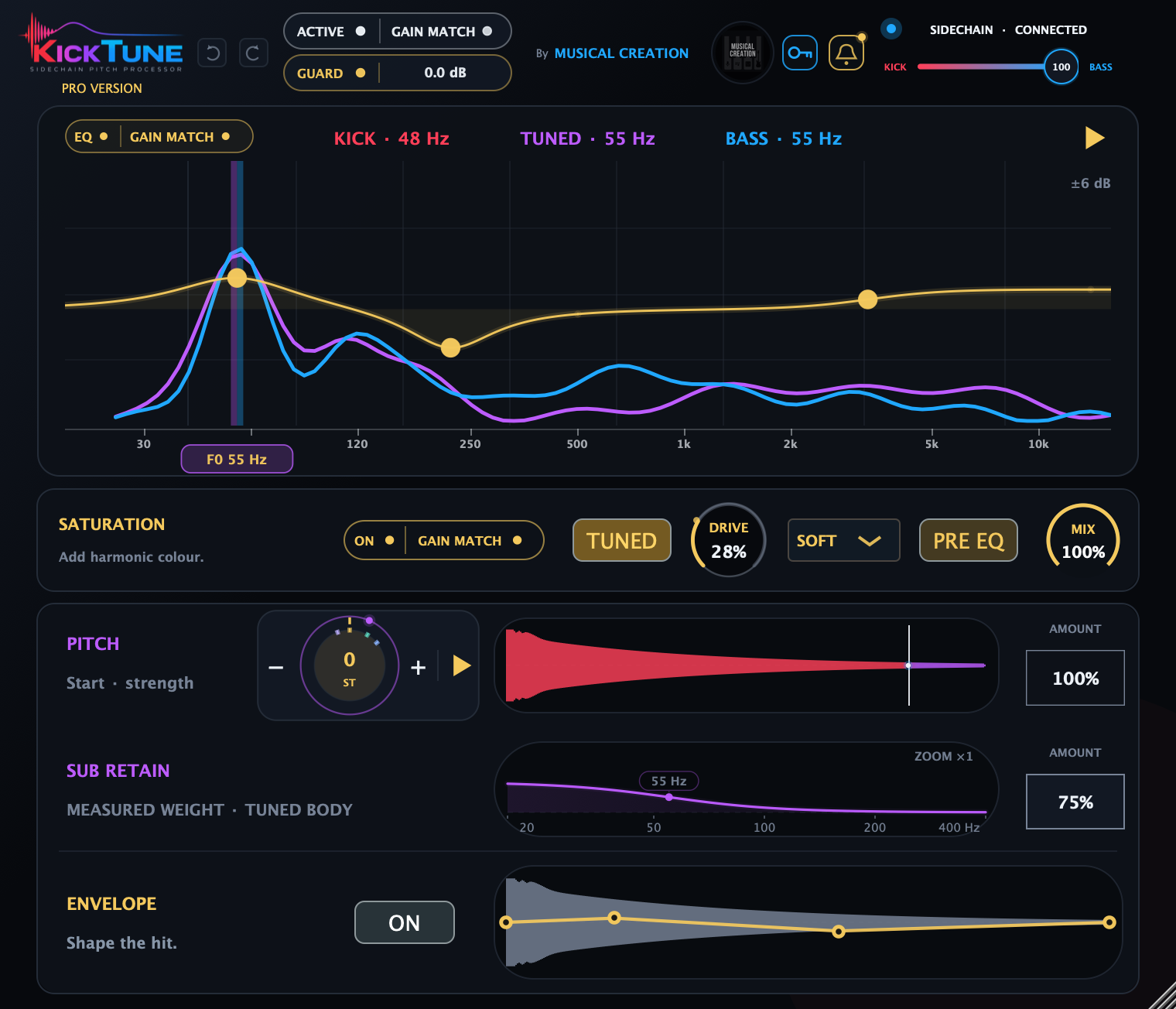
Tune manually or let sidechain tuning follow your bass. Use Tune Coverage to choose how much of the kick is tuned, then fine-tune with the pitch wheel.
The all-in-one kick tuning and shaping toolkit.
Tune your kick to the bass—or shape it independently. Control the attack, retain low-end weight and add character.
SEE IT IN MOTION
Hover or tap a control to explore.
 Download for Mac
AU · VST3 · AAX Apple Silicon & Intel
 Download for Windows
VST3 Windows x64
Checking downloads…
Mac: Quit your DAW, open the downloaded package and follow the installer.
Windows: Close your DAW, run the downloaded installer and follow the setup steps.
Reopen your DAW and load Kick Tune on your kick track. Rescan plugins if needed, then enter your purchase email and serial in the plugin’s licence panel.
Tune manually or let sidechain tuning follow your bass. Use Tune Coverage to choose how much of the kick is tuned, then fine-tune with the pitch wheel.
Sub Retain measures low-end loss during upward pitch shifts and compensates where needed. Keep the body behind the punch.
Adaptive EQ moves with your kick’s tuned fundamental. Add four-point envelope shaping and saturation on the whole kick or its body after the coverage boundary.
YOUR KICK. YOUR TOOLKIT.
The Swiss Army knife for shaping your kick drum.
| Inside Kick Tune | Kick Tune | Pro |
|---|---|---|
| Manual and sidechain tuningTune Coverage · pitch wheel · Follow / Freeze | ✓ | ✓ |
| Sub RetainCompensates for lost subs during upward shifts | ✓ | ✓ |
| Gain Match, Peak Guard & Undo / Redo | ✓ | ✓ |
| Adaptive EQFollows your kick’s tuned fundamental | — | ✓ |
| Four-point envelopeShape the attack, body and tail | — | ✓ |
| SaturationThe whole kick or just its body | — | ✓ |